
Changing between Sole Traders and Partnerships
In the situation where a sole trader business becomes a partnership, or vice versa it is possible to amend the Main Details for a client to reflect this change.
If a sole trader takes in a partner, the new addition should be made via the Add button within Main Details for the Sole Trader.
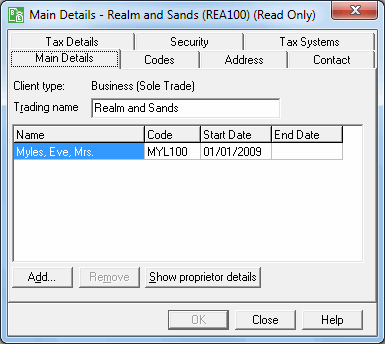
Selecting the Add button will display the client list. You have the option of selecting an existing client within the system, or entering a new client. Once another individual has been added, Main Details will show the business as a partnership when the form is next opened, as follows:
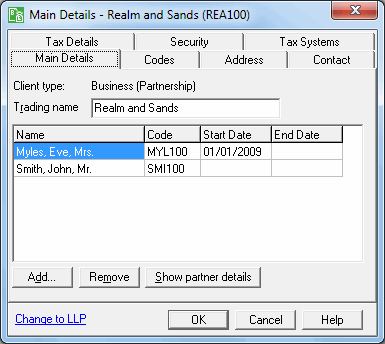
You will need to enter a start date for the client.
Taking the opposite situation, where a partnership becomes a sole trader, the revised status of the business will be reflected on re-opening Main Details, either after an End Date has been entered for the last but one individual or when all individuals bar one have been removed.
In addition to the changed business status being shown in Main Details, the tree view in Business Tax will also reflect the changes on a period-by-period basis. The status that is shown in the tree view for a particular period of account will depend upon the rules laid down by HM Revenue & Customs for the completion of Tax Returns on a change between sole trader and partnership status. Therefore, if the rules specify that a Partnership Return is required in relation to a period, the tree view will show the business as a partnership and the SA800 posting icon will be enabled in the toolbar; on the other hand, if the rules specify that Self Employment pages are required for a particular period, the tree view will show the business as a sole trade and the SA100 icon will be enabled.
On posting, HM Revenue & Customs rules related to Tax Return completion will follow through to either Personal Tax or Partnership Tax, thus ensuring that the correct Tax Returns and individual Self Employment/Partnership pages are completed.